Message Match Technology

Match your landing page to every keyword

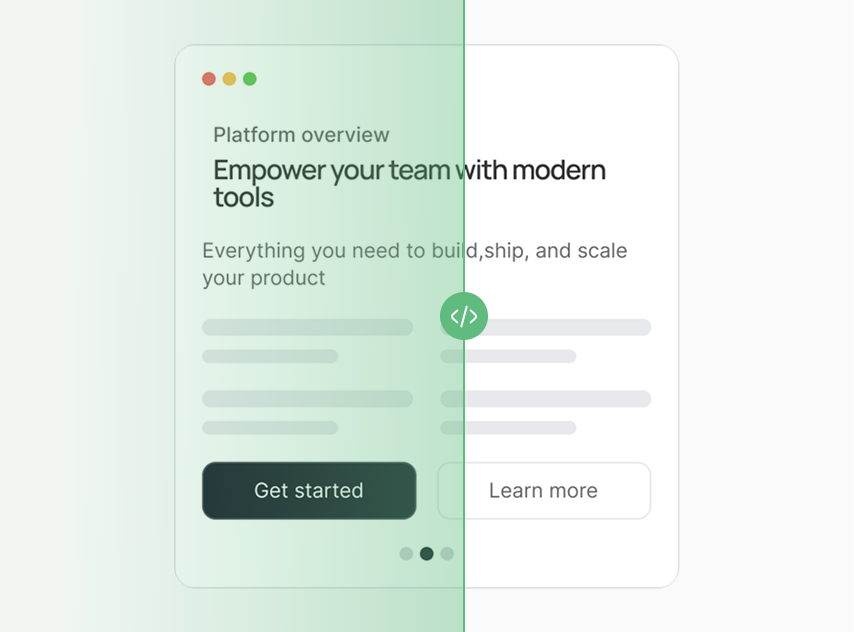
Automatically adapt your messaging to every click - no rebuilds, no dev work
Pomela — Intent-Matched Landing Pages
Pomela
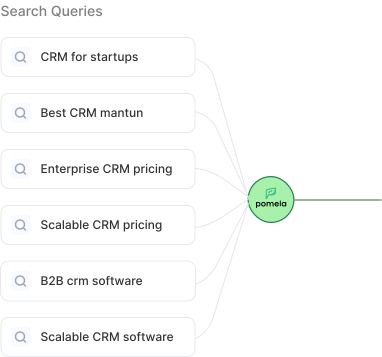
Intent Matching
Search
Pomela
Landing
Processing intent
landing-page.com
Product Pricing Get started
The CRM built for scaling startups
From first lead to Series A. One tool, zero friction.
1
User searches
Different keywords,
different intent
2
Pomela analyzes
Understands the intent
behind the search
3
Message is matched
Landing page updates
automatically
4
Higher relevance
More conversions,
better results
Based on early pilot results. Outcomes vary by traffic quality, offer, and implementation.

23%

Average lift in conversion rate

40%

Reduction in bounce rate

15%

Increase time on page

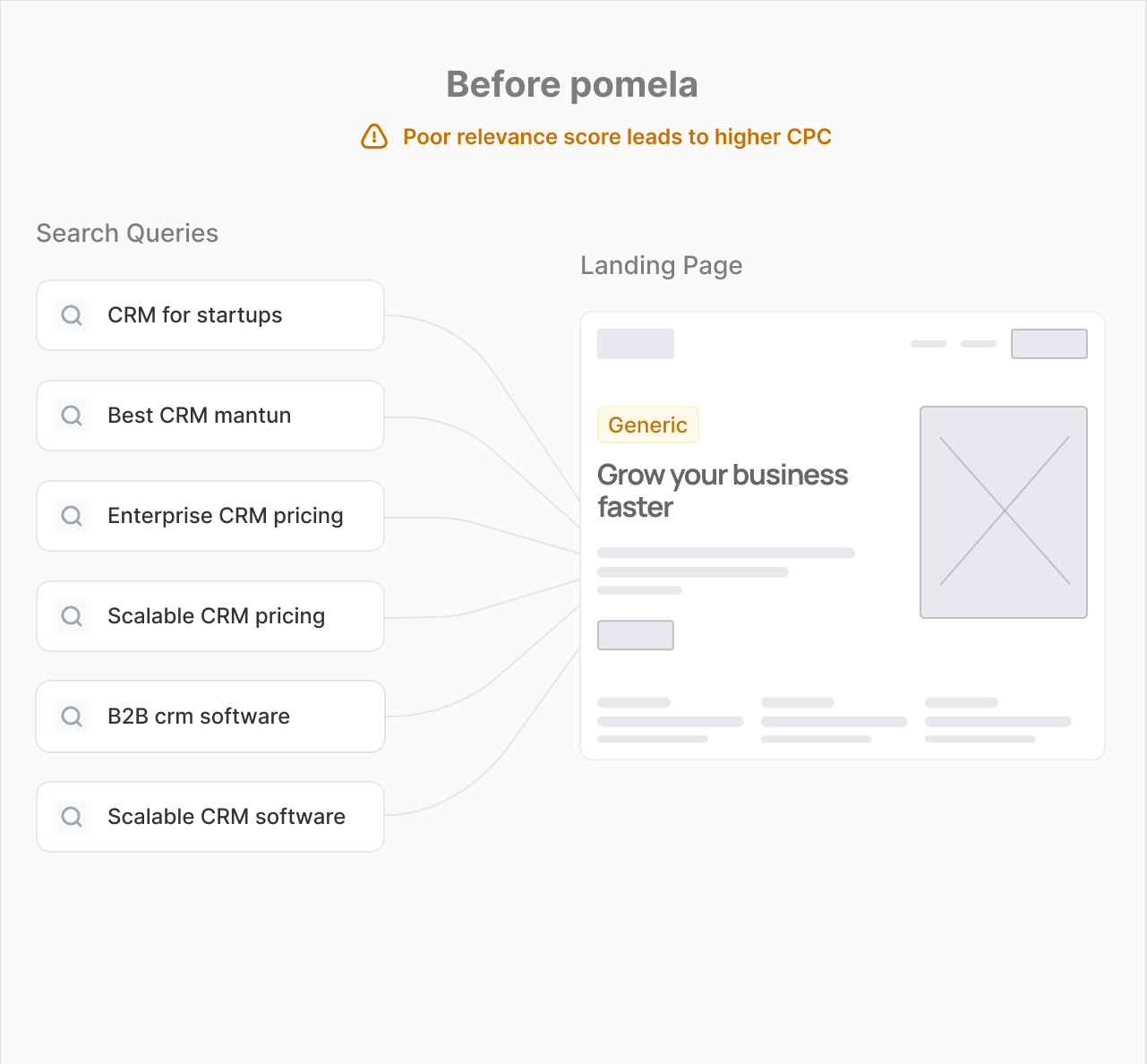
One landing page can't match every intent
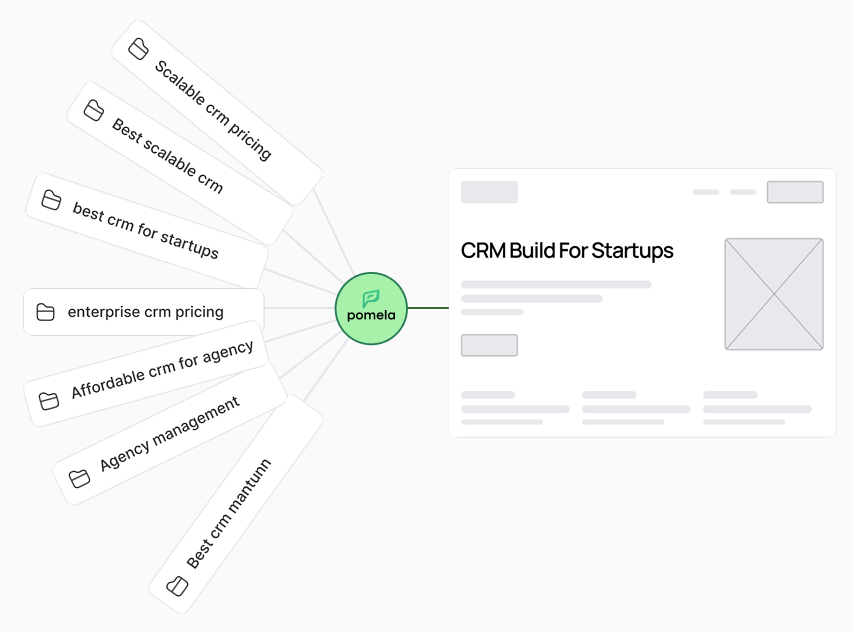
Every search has a different meaning. Pomela reads the intent and rewrites your headline — so every visitor sees exactly what they were looking for.
A screenshot of a web page with the text before pomela.
High relevance= better  efficiency
Landing Page
Perfect match

CRM Build For Startups

Pomela — Before & After
Before Pomela
CRM for startups
Best CRM software
Enterprise CRM pricing
B2B CRM software
Scalable CRM software
Generic
yoursite.com
Generic page
Grow your business faster
Conv. rate
2.2%
Same page for every visitor
VS
Pomela With Pomela
CRM for startups
Best CRM software
Enterprise CRM pricing
B2B CRM software
Scalable CRM software
Pomela
Pomela
yoursite.com/?kw=startup-crm
Matched
The CRM built for scaling startups
Intent matched
Conv. rate
2.2%
Matched to visitor intent Illustrative example
How Pomela works

How it works

Connect your page, import your keywords, generate variations,
and publish - all on top of your existing landing page.
How Pomela Works
Step 01
Learn the page

Pomela analyzes your landing page to understand its structure and messaging.

Step 02
Import keywords from a campaign

Import keywords and ad groups from Google Ads, or organize them manually. Pomela integrates directly using the official Google Ads API.

Step 03
Generate, edit, and publish

AI writes a headline and subtitle for each keyword. Edit, approve, and publish — live instantly, no dev needed.

yourlanding.com
Page analyzed
What Pomela learns
Page structure
Product & messaging
Headline & subtitle
Ready to personalize
Connected
Keywords
Import selected keywords
Imported to Pomela
/hi's projectshttps://www.pomela.ai/crm
Feedback
Headlines
Headlines
Generate and publish a headline & subtitle for each keyword
Generate All
Publish all
KEYWORD ↑↓AD GROUP ↑↓TITLESUBTITLESTATUS ↑↓ACTIONS
Live
Publish keyword
automate sales pipeline
Automation & Workflows
Title
Subtitle
automate sales pipeline
Published successfully
Analytics

Know what actually converts.
and what's not

Track which keywords drive the most traffic, how each headline performs, and where your biggest conversion lifts are coming from. All in one place.
Analytics – Pomela
/my projects /pomela.ai/crm
Last 30 days
Analytics
Performance across all personalized headlines
Nov 27 – Dec 26, 2025
TOTAL HEADLINES SERVED
0
Nov 27Dec 26
UNIQUE VISITORS
0
Nov 27Dec 26
AD GROUPTRAFFIC
Automation
4,200
CRM Software
3,100
Demo Intent
2,850
Remote Teams
1,980
Top Keywordsby views
1automate sales pipeline4,812↑ 18%
2best crm for startups3,401↑ 12%
3b2b crm software2,990↑ 9%
4book crm demo2,214↑ 31%
5cloud crm for teams1,980↑ 7%
Conversion Lift by Keyword Group
Automation
+28%
Demo Intent
+34%
CRM Software
+19%
Remote Teams
+15%
Startup CRM
+10%

One page. Multiple intents. No rebuild.

Pomela helps paid acquisition teams adapt landing page messaging to intent without creating endless page variants or relying on heavy personalization tools.
Get early access

One landing page

Keep one landing page. Serve the right message to every visitor based on their keyword or intent.

Multiple content variations

Create and manage multiple content variations for different intents, keywords, and ad groups.

Automatic intent matching

Pomela automatically matches the right variation to each visitor based on the keyword behind the click.

No technical complexity

Works on top of your existing site and stack. No dev work, no rebuilds, no new infrastructure.
FAQ’S

FAQ

01
What does Pomela do?

Pomela adapts key content elements on your landing page - including headlines, subheadlines, and CTAs - based on each visitor's search intent. You keep one landing page, manage multiple content variations, and Pomela automatically applies the right one based on the keyword or ad group that drove the click.

02
Does Pomela change my page design or layout?

No. Pomela only adapts specific content elements like the headline and subheadline text.
Your layout, sections, visuals, and page structure stay exactly the same.

03
Does Pomela work with my website platform?

Yes, Pomela works with any platform as long as you have a landing page URL. It’s designed to be lightweight and doesn’t require rebuilding pages or switching frameworks.

04
Do I need multiple landing pages?

Not anymore. Pomela helps you cover multiple keywords and intents with one page by applying different content variations to different visitors - so you can scale without duplicating pages.

05
Is Pomela safe to use on live campaigns?

Yes. Pomela is built for live traffic. If a match isn't found, your default content loads instantly - nothing breaks and your page always works.

06
Will this slow down my page?

No. Pomela is designed to load fast. Headline selection happens instantly, and the fallback headline is always available.

07
Is Pomela available now?

Pomela is currently in early access. Leave your email and we’ll reach out with access as soon as your spot opens.

08
How do I set it up?

Connect your landing page, import your Google Ads keywords and ad groups (or add them manually), and generate content variations. From there, Pomela handles matching automatically.

For performance teams

Book a demo

We will get back to you within 24 hours.
Early Access Asset v2
Step 01
Submit your request

Fill in the form — tell us about your Google Ads setup and goals. Takes under 2 minutes.

Step 02
We review within 24 hours

Our team reviews your request and reaches out to schedule a short onboarding call.

Step 03
Onboarding call

A 15-minute call to connect your Google Ads account and set up your first landing page. No dev needed.

Step 04
You're live

Personalized headlines for every keyword — live on your landing page, updating automatically.

Thank you! Your submission has been received!
Oops! Something went wrong while submitting the form.